From the table to the kitchen in one tap.
Nothing to install and nothing for guests to sign up for. You print a QR card for each table and you're ready for service.
Guest scans
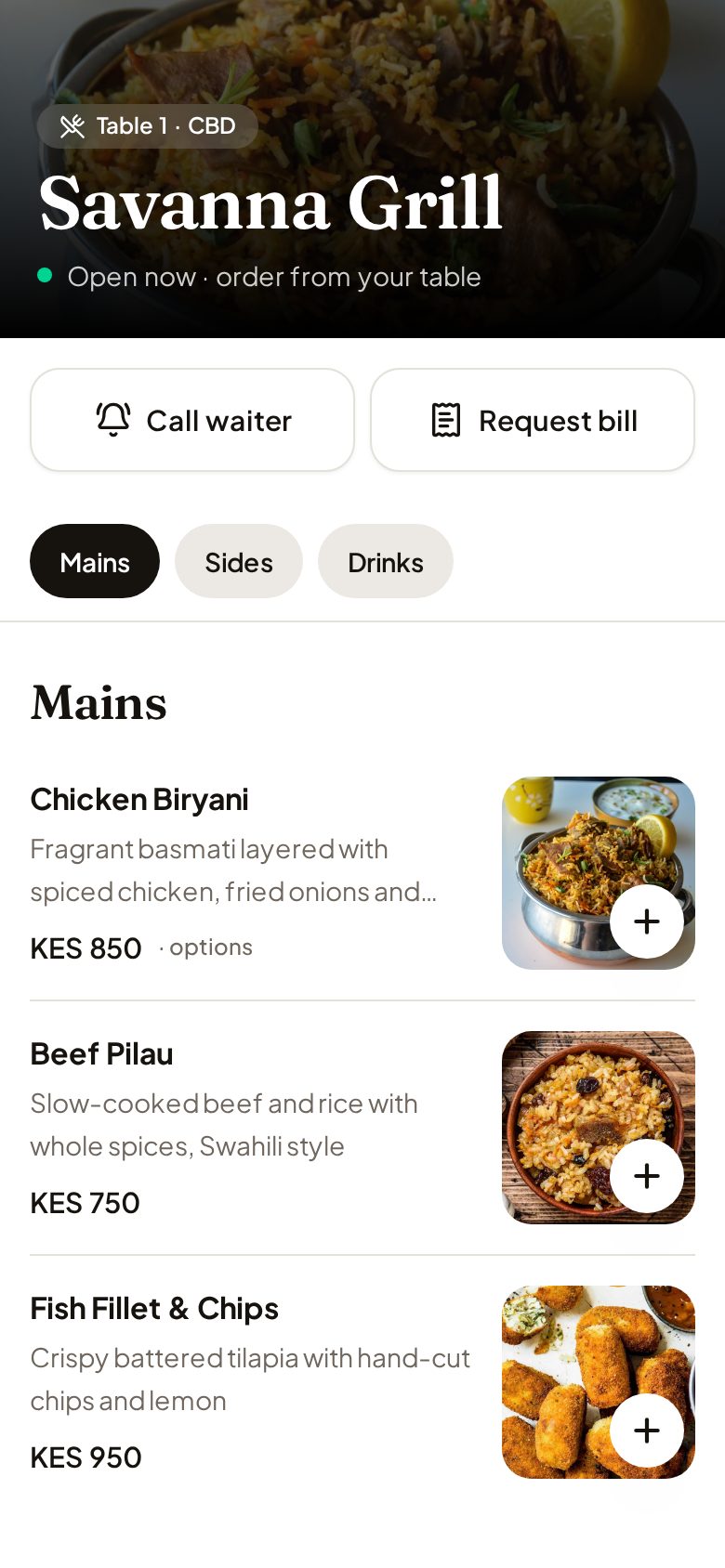
The QR code opens your menu, already knowing the table. Photos, sizes, extras and notes, priced as you set them.
Waiter accepts
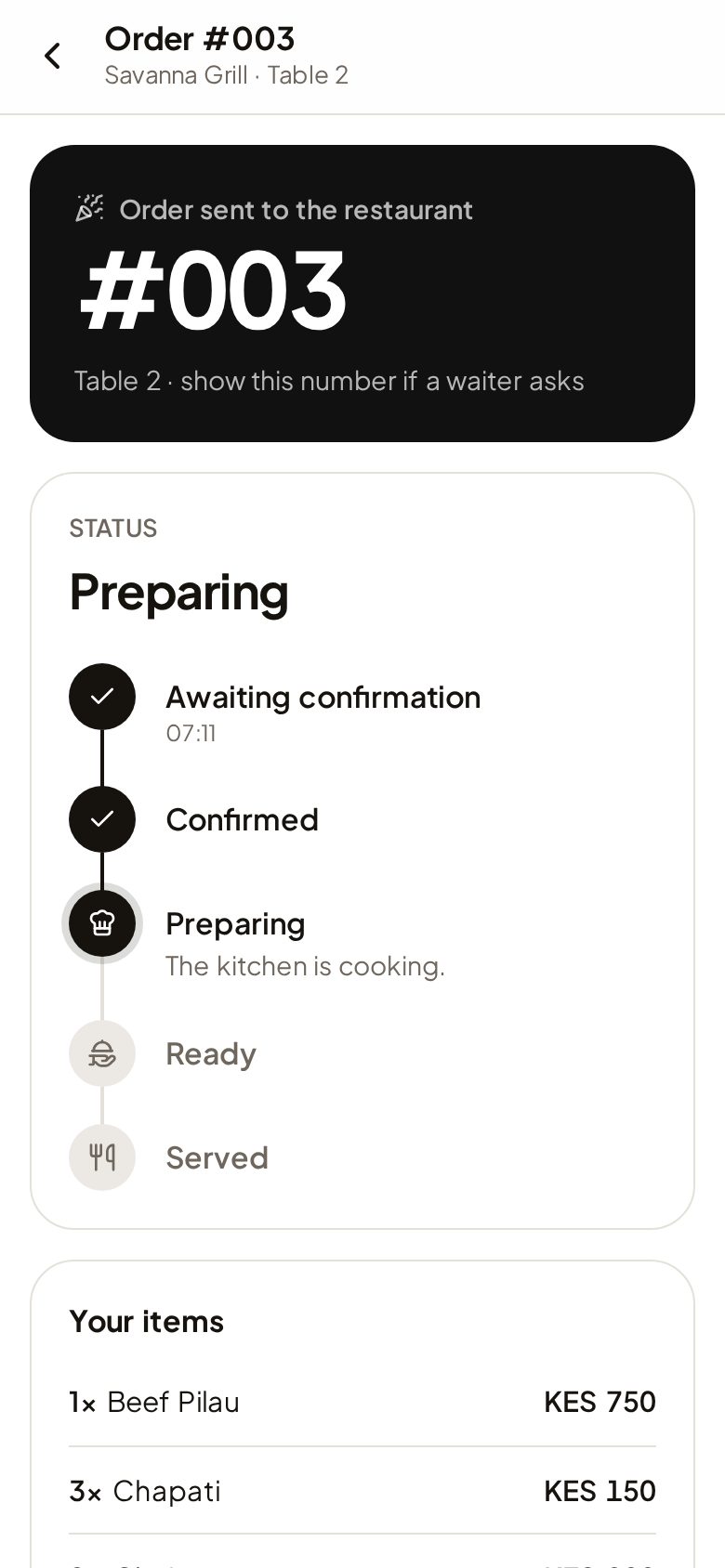
A chime on the waiter's phone. One tap accepts it, and the guest's screen says Confirmed.
Kitchen cooks
The ticket lands on the kitchen display by station: grill, bar, whatever your kitchen has.
Food is served
Ready, served, bill requested, table closed. Every step is live for guests, staff and you.
A menu that sells, on any phone.
Big photos, clear prices and options that add up as guests choose them. They see exactly where their order is, so nobody waves for a waiter to ask.
- Call a waiter or ask for the bill with one tap
- Live status: confirmed, preparing, ready, served
- Weak signal? Orders are never lost or sent twice
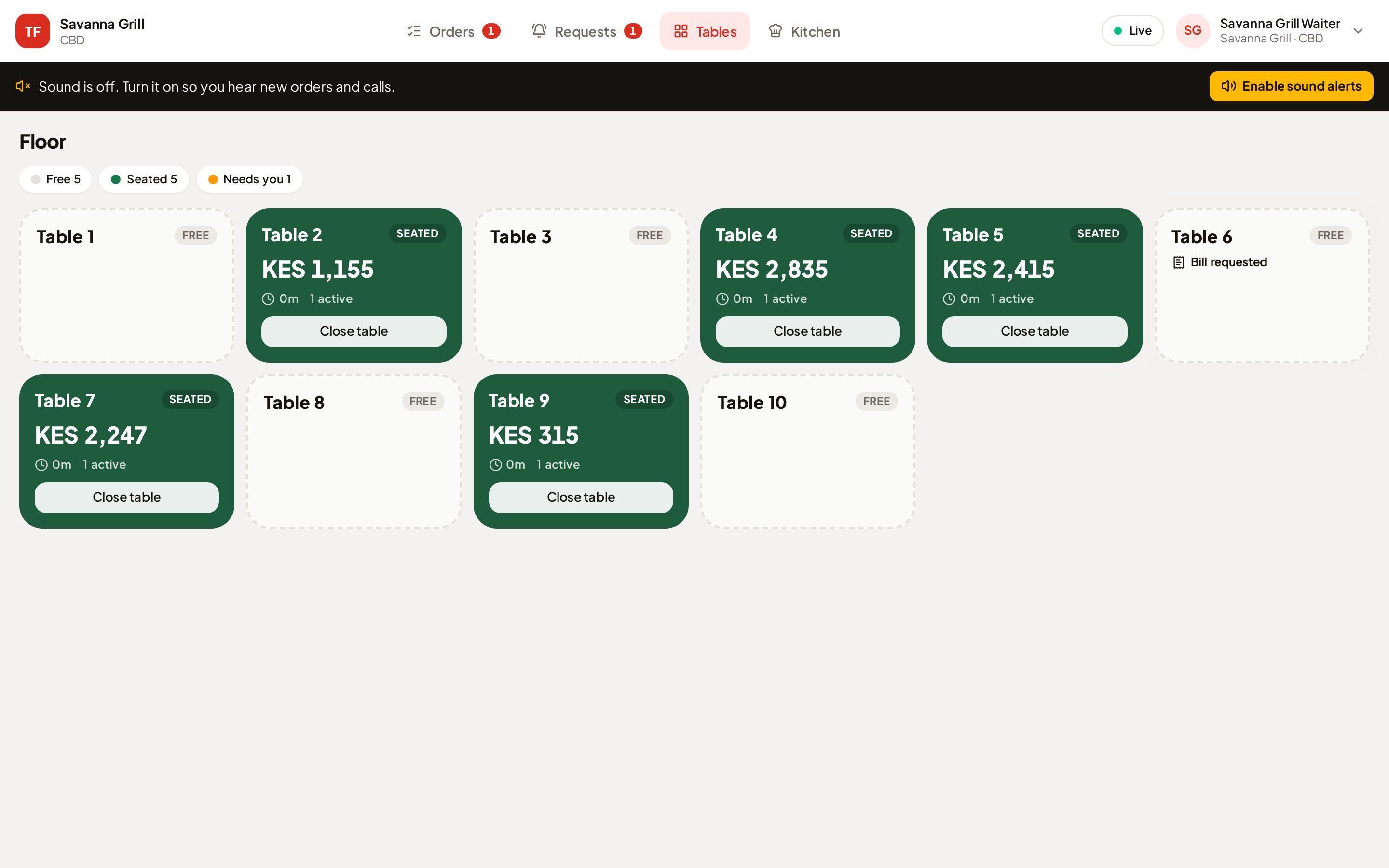
Every table, at a glance.
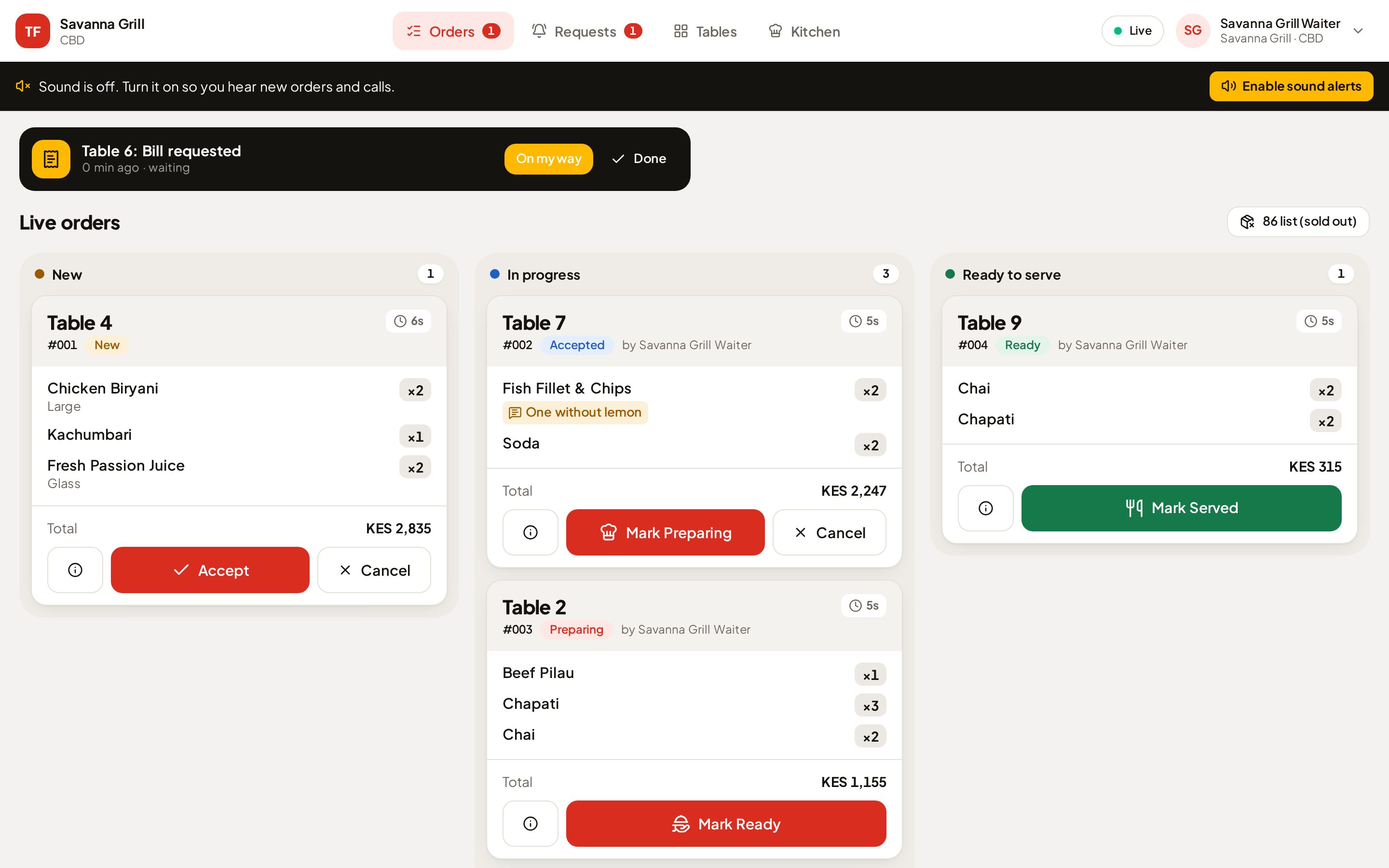
A colour-coded floor shows who's seated, who's waiting and who needs you right now. Close a table once it's paid at the till, and the next guests start a fresh bill.
- New orders chime, and turn red if nobody accepts them
- Mark a dish sold out and it disappears from every menu
- Two waiters can't accept the same order
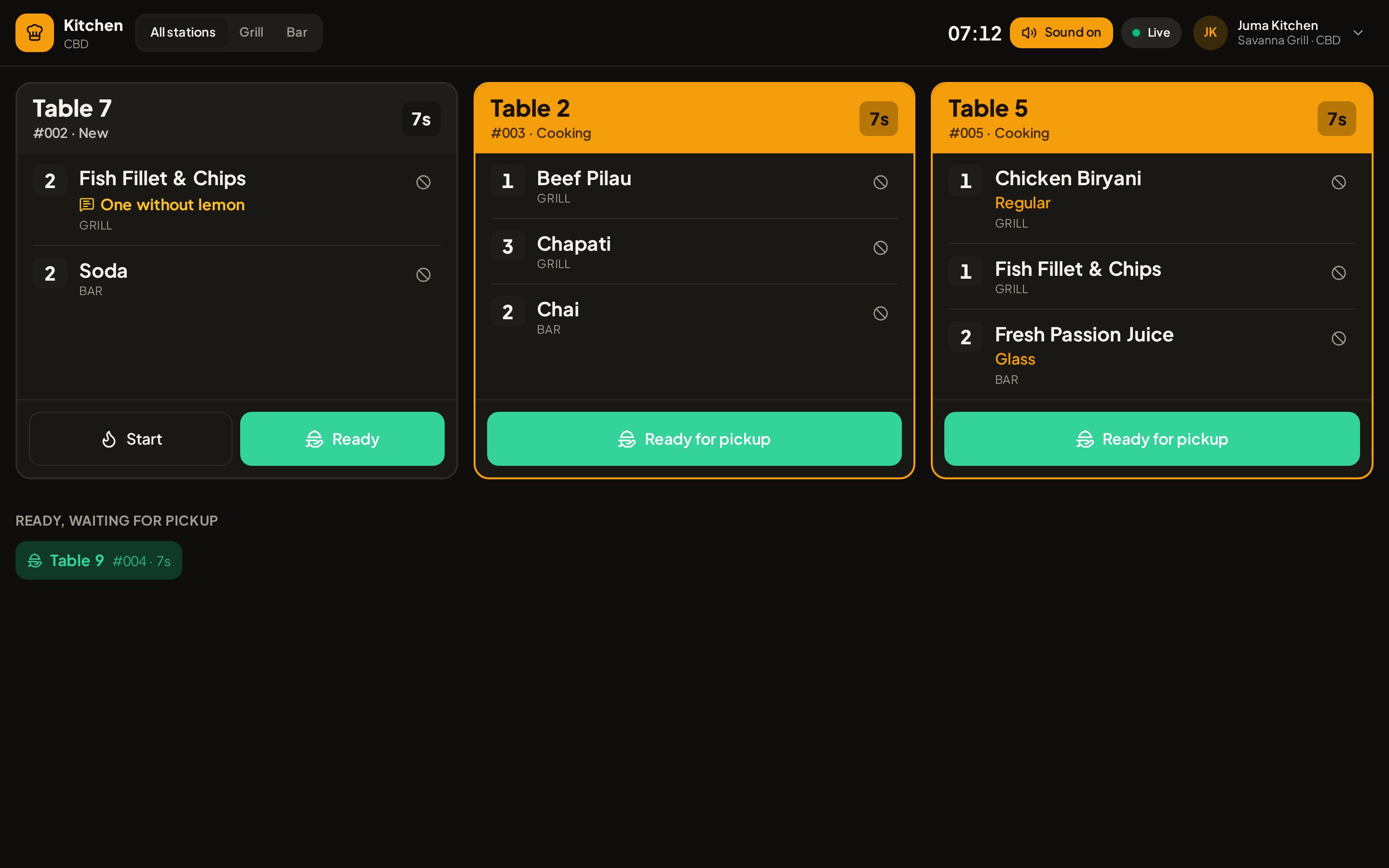
Tickets the pass can read from across the room.
A dark, high-contrast display for a tablet or TV. Options in orange, notes in amber, and a timer on every ticket. Late tickets turn red.
- Filter by station: grill, bar, pastry
- "Can't make this" with a reason: the guest sees it and the bill adjusts
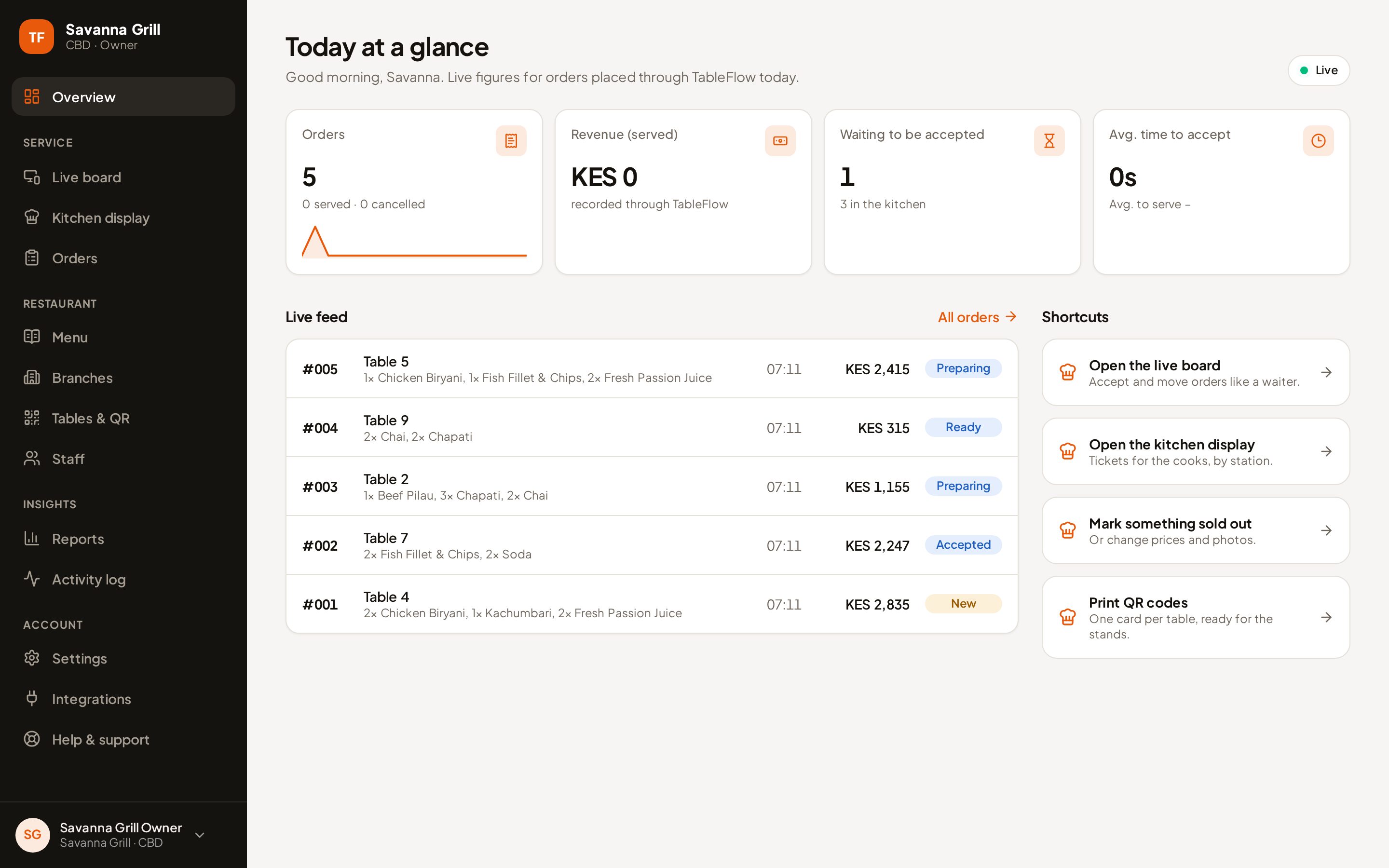
Know how service is going, from anywhere.
Today's orders and revenue, how long guests wait to be served, what's selling and which tables are busiest, across every branch.
- Menu, photos, options and prices in one place
- Branches with their own hours, staff and service charge
- Print QR cards for every table in one click
Keep your POS. Keep your till. Add a faster floor.
TableFlow handles ordering and service; your POS stays where billing happens. Guests pay the way they always have, by cash, card or M-Pesa.
Simple monthly plans. Start with a free trial.
Every plan includes the guest menu, waiter board, kitchen display and owner dashboard. Prices in Kenya shillings.
Starter
One restaurant finding its rhythm.
- Up to 10 tables
- 3 staff accounts
- 1 branch
Pro
Busy floors and more than one location.
- Up to 50 tables
- 20 staff accounts
- Up to 5 branches, with managers per branch
Every new restaurant starts with a 14-day free trial. We'll help you set up your menu and print your table cards.
Good to know
Do guests need to download anything?
No. They point their camera at the table card and the menu opens in the browser. No app, no account, no sign-up.
Does it replace my POS?
No. TableFlow takes the orders and runs the floor; your POS stays where you bill and take payment.
What happens when the Wi-Fi drops?
Guests are told clearly if an order didn't go through, and retrying never creates a duplicate. Staff screens catch up on their own.
How do we get started?
Tell us about your restaurant. We set up your account, you add your menu and tables, print the QR cards, and you're ready for service.
Give every table a waiter's ear.
See TableFlow running with your own menu. A demo takes twenty minutes.